




 Daily Bazar
  Electronics
  Mother, Baby & Toys
  Beauty
  Sports
  Automotive
  Stationery, Books & Music
  Fashion
 _20.jpeg) Home
Home  Garden & Pet Care
  Grocery
  Daily Bazar
  Electronics
  Mother, Baby & Toys
  Beauty
  Sports
  Automotive
  Stationery, Books & Music
  Fashion
 _20.jpeg) Home
Home  Garden & Pet Care
  Grocery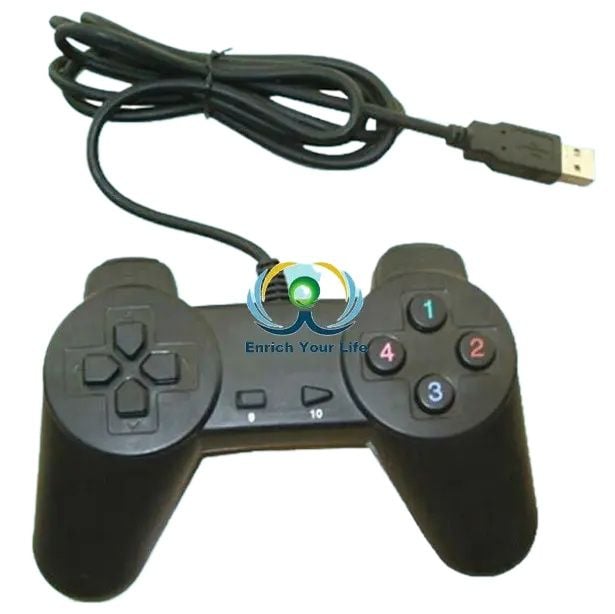
Industry-specific attributes
compatible platform
PC
type
Joystick
Other attributes
Brand Name
OEM
model number
PC game joystick
place of origin
Guangdong, China
Motor
two install
Export market
all over the world
OEM
accept
Packaging and delivery
Packaging Details
plastic package
Port
shenzhen
🔍 Identify Your Gamepad's Hardware ID
-
Connect your gamepad to your PC.
-
Open Device Manager:
-
Press Win + X and select Device Manager.
-
-
Locate your gamepad under "Human Interface Devices" or "Universal Serial Bus controllers".
-
Right-click on your gamepad and select Properties.
-
Navigate to the Details tab.
-
From the Property dropdown, select Hardware Ids.
-
Note the VID (Vendor ID) and PID (Product ID), e.g., VID_0810&PID_0001.
🛠️ Driver Options Based on Hardware ID
1. VID_0810&PID_0001 – Twin USB Gamepad
-
Driver: A 64-bit driver compatible with this hardware ID is available.
-
Download: VID_0810&PID_0001 64-bit Driver
-
Note: This driver is suitable for DualShock 2 USB gamepads and similar devices.Internet Archive+1GitHub+1
2. VID_0079&PID_0006 – Generic Gamepads
-
Driver: A generic force feedback driver for Windows 8/10.
-
Download: Generic USB Gamepad Vibration Driver
-
Installation:
-
Download the latest .msi installer from the releases section.
-
Run the installer and follow the on-screen instructions.GitHub+1GitHub+1
-

Customer Questions and answers :
Login to ask a question
