




 Global Finds
  Quick Commerce
  Daily Bazar
  Electronics & Appliances
  Mother, Baby & Toys
  Beauty
  Sports
  Automotive
  Stationery, Books & Music
 _20.png) Fashion Luxe
Fashion Luxe  Jersey
  Sports Shoes
  Fashion
 _20.jpeg) Home
Home  Garden & Pet Care
  Special Weekly Offer
  Grocery
  Global Finds
  Quick Commerce
  Daily Bazar
  Electronics & Appliances
  Mother, Baby & Toys
  Beauty
  Sports
  Automotive
  Stationery, Books & Music
 _20.png) Fashion Luxe
Fashion Luxe  Jersey
  Sports Shoes
  Fashion
 _20.jpeg) Home
Home  Garden & Pet Care
  Special Weekly Offer
  Grocery
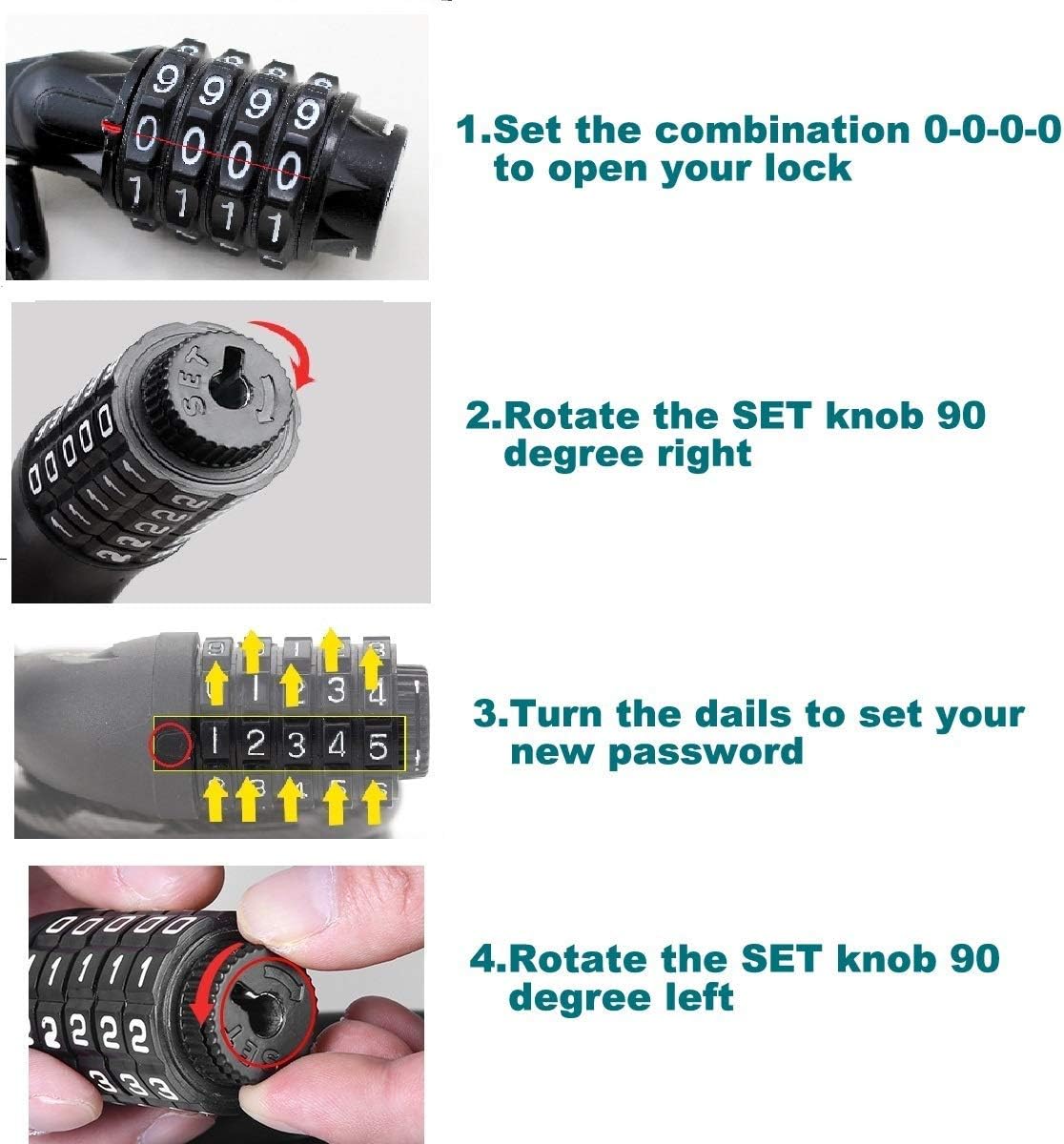
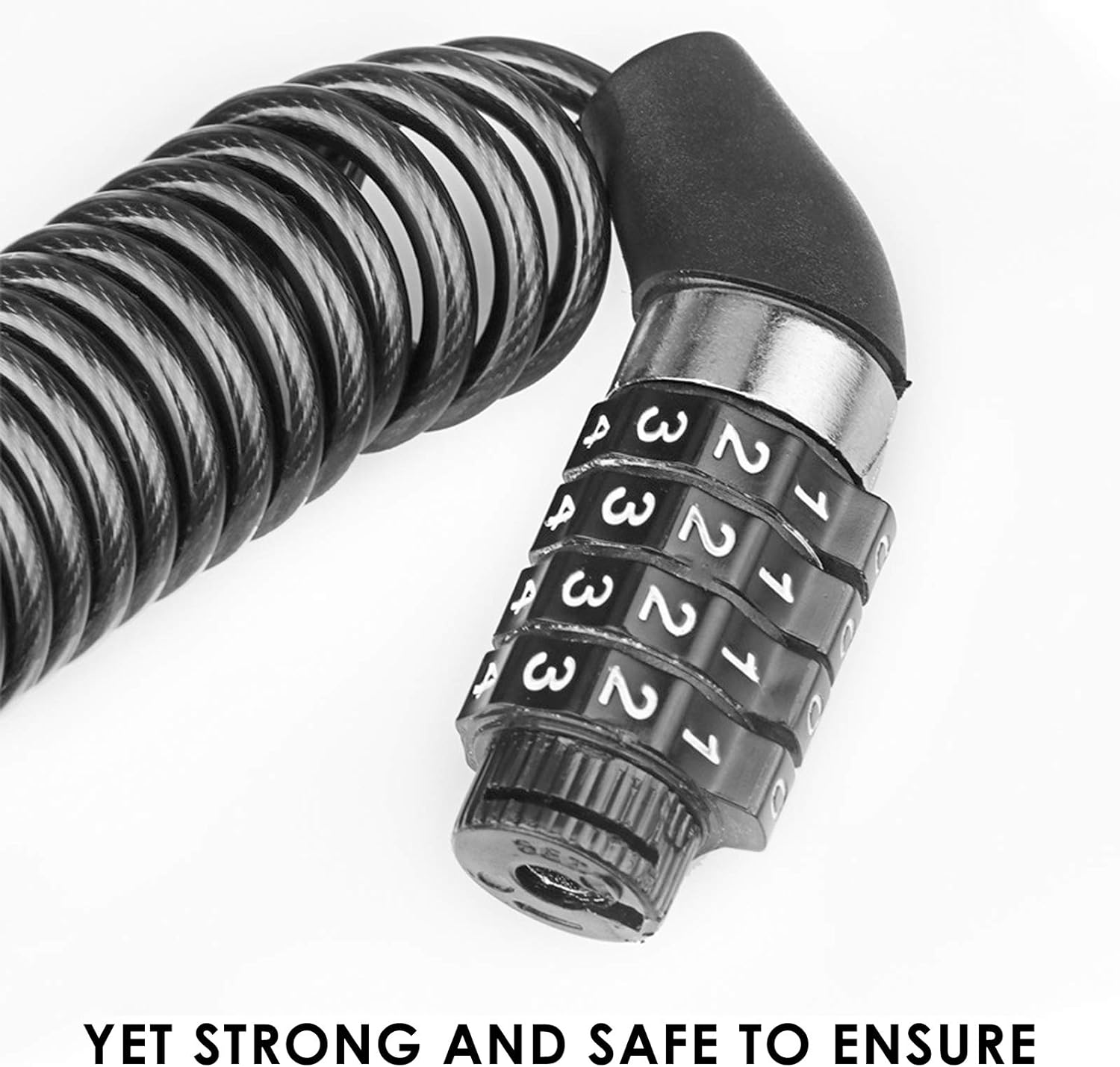
How to Use:
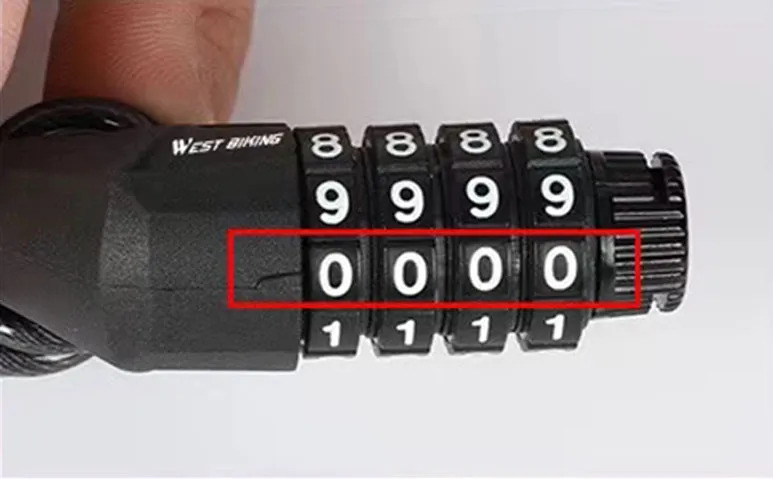
1. Align the original password (0000) with the mark.
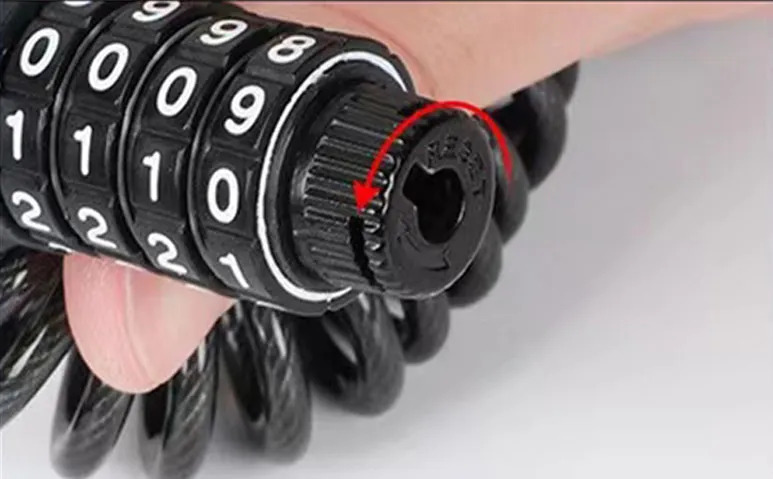
2. Keep the original password unchanged. According to the lock identification, you can set a new digital password by rotating the lock core 90°.
3. After setting a new password (for example, "0009").
4. Rotate the lock cylinder in the opposite direction to return to the original position to complete the setting.
1. Align the original password (0000) with the mark.
2. Keep the original password unchanged. According to the lock identification, you can set a new digital password by rotating the lock core 90°.
3. After setting a new password (for example, "0009").
4. Rotate the lock cylinder in the opposite direction to return to the original position to complete the setting.


Customer Questions and answers :
Login to ask a question
