




 Global Finds
  Quick Commerce
  Daily Bazar
  Electronics
  Mother, Baby & Toys
  Beauty
  Sports
  Automotive
  Stationery, Books & Music
  Computer Table
  Computer Table
 _20.png) Fashion Luxe
Fashion Luxe  Jersey
  Sports Shoes
  Fashion
 _20.jpeg) Home
Home  Garden & Pet Care
  Special Weekly Offer
  Grocery
  Global Finds
  Quick Commerce
  Daily Bazar
  Electronics
  Mother, Baby & Toys
  Beauty
  Sports
  Automotive
  Stationery, Books & Music
  Computer Table
  Computer Table
 _20.png) Fashion Luxe
Fashion Luxe  Jersey
  Sports Shoes
  Fashion
 _20.jpeg) Home
Home  Garden & Pet Care
  Special Weekly Offer
  Grocery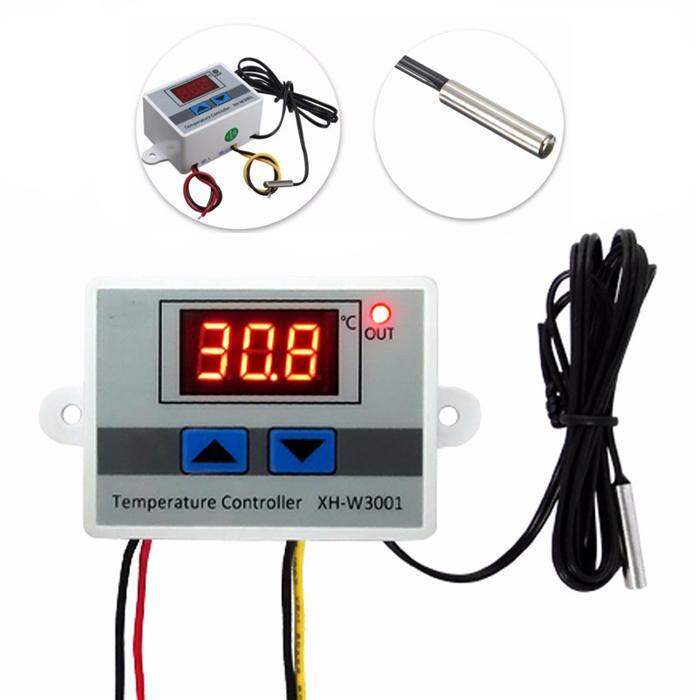


- PressUPbutton toshow start temperature button.
- Longpress theUPbuttonthe temperature display Flashing, press theUPorDOWNbuttonSetthebeginningof thetemperaturevalue.
- Press Down the display button to stop temperature.
- Longpress theDownbuttonthe temperature display Flashing, press theUPorDownbuttonSettostopthetemperaturevalue.
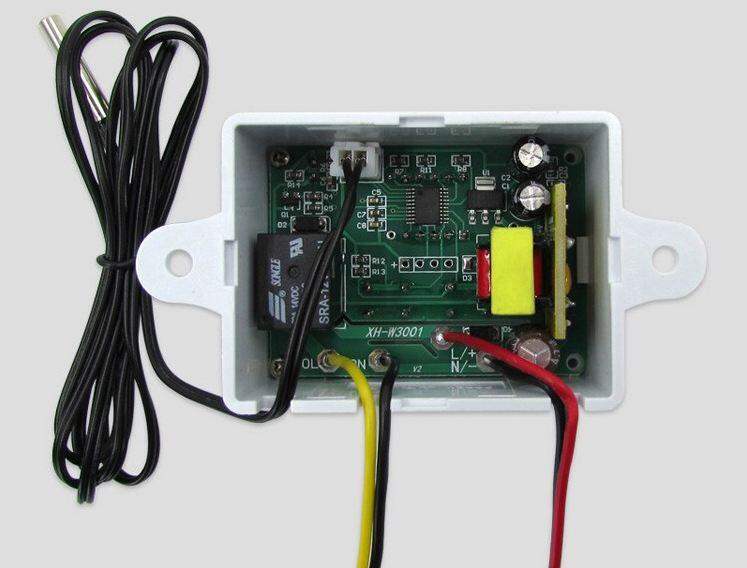
XH-W3001 Digital LED Temperature Controller (AC220V, 10A)
This thermostat can be used either for heating or cooling devices. It uses a start and stops temperature. To set the temperature, press and hold one of the two buttons until the screen flashes. When pressing and holding the left button you can adjust the relay start-up temperature and the right-hand relay temperature. After setting the temperature, the screen will stabilize and, after a short delay, will display the temperature read by the sensor.

Customer Questions and answers :
Login to ask a question
